
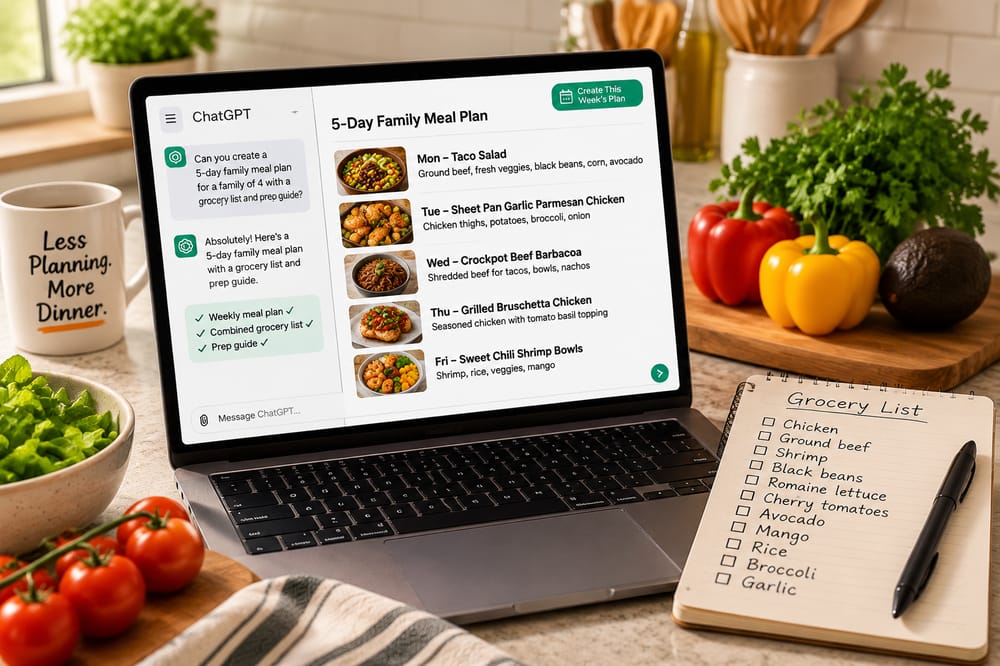
ChatGPT can help you plan family dinners, build a grocery list, and even organize meal prep—if you know what to ask. Here’s a simple way to use it without spending your evening writing prompts.
Meal planning sounds simple until you sit down to actually do it.
You need five dinners. They need to be meals your family will eat. You don't want chicken four nights in a row. One night needs to be fast. Another might need to work in the slow cooker. Then you need recipes, a grocery list, and some idea of what you can prep ahead.
ChatGPT can help with all of that.
But there's a pretty big difference between asking:
“Give me five dinner ideas.”
and giving ChatGPT enough information to build a meal plan that's actually useful.
So let's do the second one.
What ChatGPT Can Actually Do for Your Meal Plan
Used well, ChatGPT can help you:
- Choose dinners based on your family's preferences
- Avoid repeating the same types of meals all week
- Create recipes for each dinner
- Adjust recipes for your family size
- Combine ingredients into one grocery list
- Organize that grocery list by section
- Identify ingredients you can prep ahead
- Create a simple prep plan
- Turn the recipes into shorter cook-day instructions
That's a lot more useful than generating a list of recipe names.
The trick is giving it enough context before it starts planning.
Step 1: Tell ChatGPT About Your Family
You don't need to write your autobiography.
But ChatGPT needs to know a few things if you want the recommendations to fit your household.
Tell it:
- How many people you're feeding
- How many dinners you want
- Foods your family likes or dislikes
- Any dietary restrictions
- How much time you usually have to cook
- What cooking methods you like using
- Whether you want leftovers
- Any nights that need especially easy meals
For example:
"I'm planning dinners for a family of four. I need five dinners for this week. We like fairly simple, family-friendly meals with plenty of protein and vegetables. I don't want anything extremely spicy, and I'd like variety across the week rather than five similar meals. Most dinners should take around 30–45 minutes of active work. I'm happy to use the oven, stovetop, grill, or slow cooker."
Even that gives ChatGPT considerably more to work with than “What should I make for dinner this week?”
But we can do better.
Step 2: Ask for Options Before Building the Whole Plan
One of the easiest mistakes is asking ChatGPT to create the entire week immediately.
Then it gives you five dinners and you realize you don't want two of them.
Instead, have it give you a larger group of choices first.
Try this:
"Give me 10 dinner options that fit those preferences. Make the meals meaningfully different from one another, including different proteins, flavors, cooking methods, and meal formats where possible. Don't create the recipes or grocery list yet. Just give me the 10 dinner options with a one-sentence description of each."
Now you're choosing rather than accepting whatever five meals the AI happened to generate.
Pick the five that sound best.
If none of them sound good, ask for replacements.
Don't move on until you actually want to eat the five meals you've chosen.
That's an important part of meal planning that AI doesn't eliminate: you're still the person who knows whether your family is going to look at Mediterranean salmon bowls and revolt.
Step 3: Have ChatGPT Build the Recipes
Once you've selected your five meals, give those choices back to ChatGPT and ask it to build complete recipes.
You can use:
"These are the five dinners I want this week:
[PASTE YOUR 5 DINNERS HERE]
Create a complete recipe for each one for my family of [NUMBER].
For every recipe, include:
- Exact ingredient quantities
- Clear step-by-step instructions
- Oven temperatures where applicable
- Approximate cooking times
- Safe internal temperatures for meat where applicable
- Any toppings, sauces, or garnishes needed to make the finished meal
Keep the recipes practical for normal weeknight cooking."
Now you have the actual dinners instead of five recipe concepts.
Read through them before continuing.
AI-generated recipes can make mistakes. Look for strange quantities, missing ingredients, conflicting instructions, unrealistic cooking times, or anything that simply doesn't sound right. If something looks questionable, ask ChatGPT to fix it before you build the rest of the plan.
Step 4: Turn Five Recipes Into One Grocery List
This is where AI becomes much more useful than simply asking it for recipe ideas.
Instead of shopping from five separate ingredient lists, ask ChatGPT to combine them.
Use:
"Using the final versions of these five recipes, create one combined grocery list.
Combine duplicate ingredients and total their quantities whenever the units are compatible.
Organize the final list into:
- Produce
- Meat & Seafood
- Dairy
- Canned & Jarred
- Pantry
- Baking
- Spices & Seasonings
- Other
Do not leave out ingredients that appear in sauces, dressings, toppings, marinades, or garnishes.
If two ingredients sound similar but you're not certain they're interchangeable, keep them separate rather than combining them."
That last instruction matters.
You don't want an AI enthusiastically deciding that two vaguely similar ingredients are the same thing and leaving you short on Wednesday.
Once you have the list, compare it against the five recipes before heading to the store.
Step 5: Ask ChatGPT to Build a Prep Plan
Now we can make the week easier instead of merely planning it.
Tell ChatGPT:
"Look across all five recipes and create one optional prep session that will make the five cook days easier.
Find tasks that can safely and reasonably be done ahead, such as:
- Washing and chopping produce
- Making sauces or dressings
- Preparing marinades
- Cooking grains
- Portioning ingredients
- Seasoning or preparing proteins when appropriate
Coordinate overlapping work across recipes so I don't prep the same ingredient multiple times.
Give exact quantities so I know how much of each ingredient to prep.
Tell me how each prepared component should be stored and which dinner it belongs to.
Don't turn this into a giant Sunday meal-prep session. Only recommend tasks that meaningfully make the week easier."
That last part is worth keeping.
Otherwise, you can ask AI to save you time and somehow end up with a three-hour Sunday project.
The goal isn't to cook five dinners early.
The goal is to remove the annoying little jobs that make Tuesday dinner harder than it needs to be.
Step 6: Create Simple Cook-Day Instructions
At this point, you have full recipes.
But you probably don't want to reread an entire recipe every night—especially if half the work is already finished.
So ask:
"Now create a short cook-day guide for each of the five dinners.
Assume I've completed the prep plan you created.
For each dinner, tell me only what I still need to do to finish the meal. Include important cooking temperatures, approximate times, and safe internal temperatures where necessary.
Make the instructions detailed enough that I can cook dinner without needing to go back to the full recipe unless something goes wrong."
Now you've gone from:
“What should we eat this week?”
to something much more useful:
5 dinners → recipes → one grocery list → coordinated prep → cook-day instructions.
That's a legitimate meal-planning system.
Or Copy This Prompt and Do Most of It at Once
If you'd rather not go through the process one prompt at a time, here's a larger prompt you can copy and customize:
"I want you to help me create a practical weekly dinner plan for my family.
My household:
Number of people: [NUMBER]
Number of dinners needed: [NUMBER]
Foods we like: [ADD HERE]
Foods we dislike: [ADD HERE]
Dietary restrictions: [ADD HERE OR NONE]
Typical cooking time available: [TIME]
Preferred cooking methods: [ADD HERE]
Other considerations: [PICKY EATERS, BUSY NIGHTS, LEFTOVERS, ETC.]
Start by giving me 10 family-friendly dinner options. Make them meaningfully different in protein, flavor, cooking method, and meal format where possible.
STOP after giving me the 10 options. Do not create the rest of the plan yet.
I will choose five.
After I choose my five, I want you to:
- Create a complete recipe for each meal with exact quantities, temperatures, cooking times, and clear instructions.
- Create one combined grocery list for all five recipes, combining duplicate ingredients and organizing everything by grocery-store section.
- Create an optional prep guide that coordinates useful prep across all five dinners, with exact quantities and storage instructions.
- Create simplified cook-day instructions for each meal based on the prep already completed.
Before finalizing each stage, check your work for missing ingredients, inconsistent quantities, duplicate grocery items, and instructions that don't match the ingredient lists."
That should get you surprisingly far.
So…Why Not Just Use ChatGPT Every Week?
You absolutely can.
If you enjoy the process, ChatGPT is a powerful meal-planning tool.
But notice what you just did.
You explained your preferences.
You generated options.
You reviewed them.
You chose five.
You generated recipes.
You checked the recipes.
You combined the grocery list.
You checked the grocery list.
You figured out prep.
You generated cook-day instructions.
And there's a decent chance you had a few follow-up conversations along the way fixing things that weren't quite right.
That's still meal planning.
You just have a very capable assistant helping you do it.
DinnerDonkey Is Built for the Part After “What Should We Eat?”
DinnerDonkey takes essentially that entire workflow and turns it into a purpose-built experience.
Each week, you get 10 family-friendly dinners to choose from.
Pick the five that sound good.
DinnerDonkey handles the rest:
- Recipes scaled for your family
- One combined shopping list
- An optional coordinated prep guide
- Simplified cook-day instructions
- Full recipes whenever you need them
You don't need to explain the system every week.
You don't need to engineer the right prompt.
You don't need to copy recipes back and forth or ask the AI to reconcile ingredient quantities.
You just choose dinner.
DinnerDonkey carries the rest.
Dinner planning without the planning.
Pick 5 dinners. DinnerDonkey handles the shopping list, prep plan, and everything you need to get them on the table.
The Best Meal-Planning System Is the One You'll Actually Use
There's no prize for doing meal planning the hard way.
Use a notebook. Use ChatGPT. Use a spreadsheet. Use DinnerDonkey.
The goal isn't to become exceptionally good at meal planning.
The goal is to know what's for dinner without spending half your weekend figuring it out.
If ChatGPT makes that easier for you, use it.
And if you get tired of telling ChatGPT how to build the system every week, well...
That's pretty much why we built DinnerDonkey.